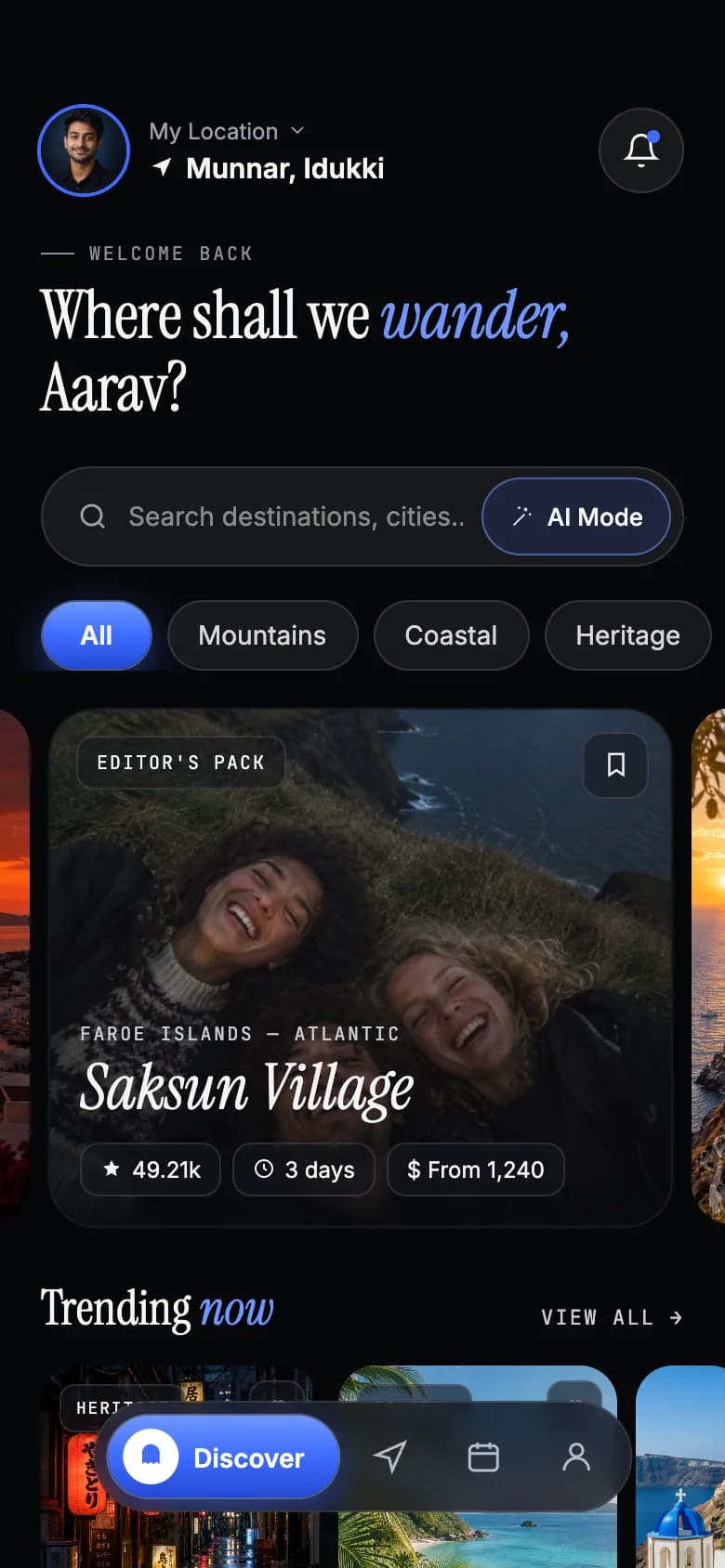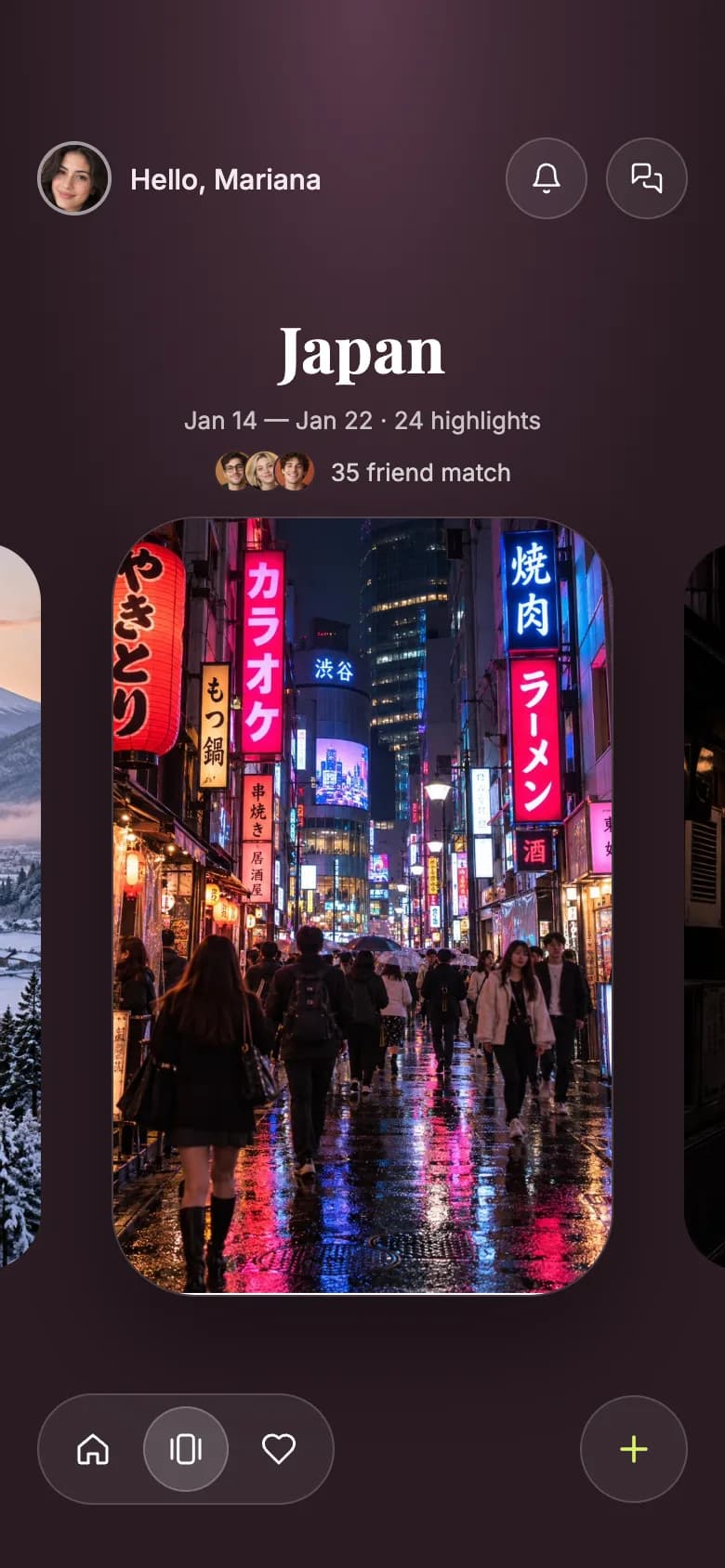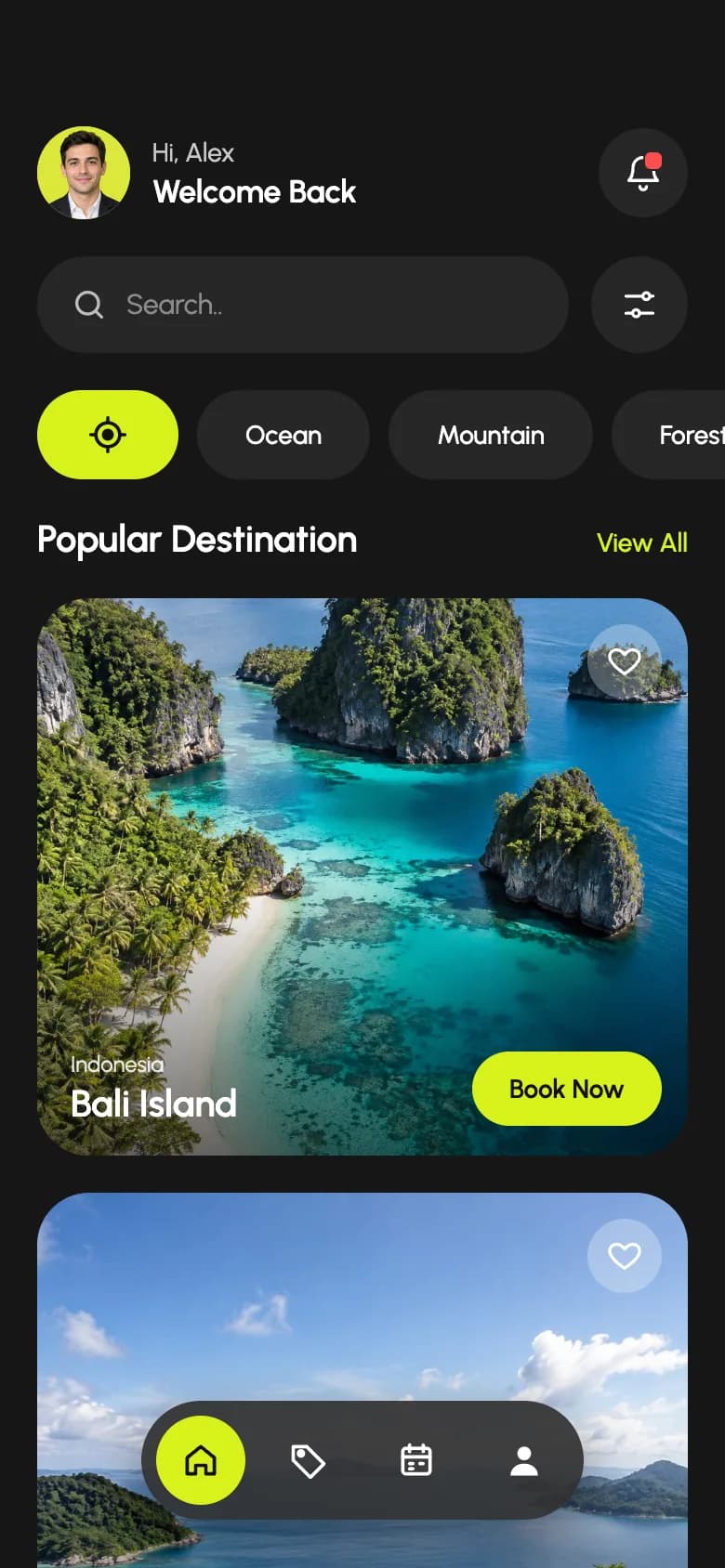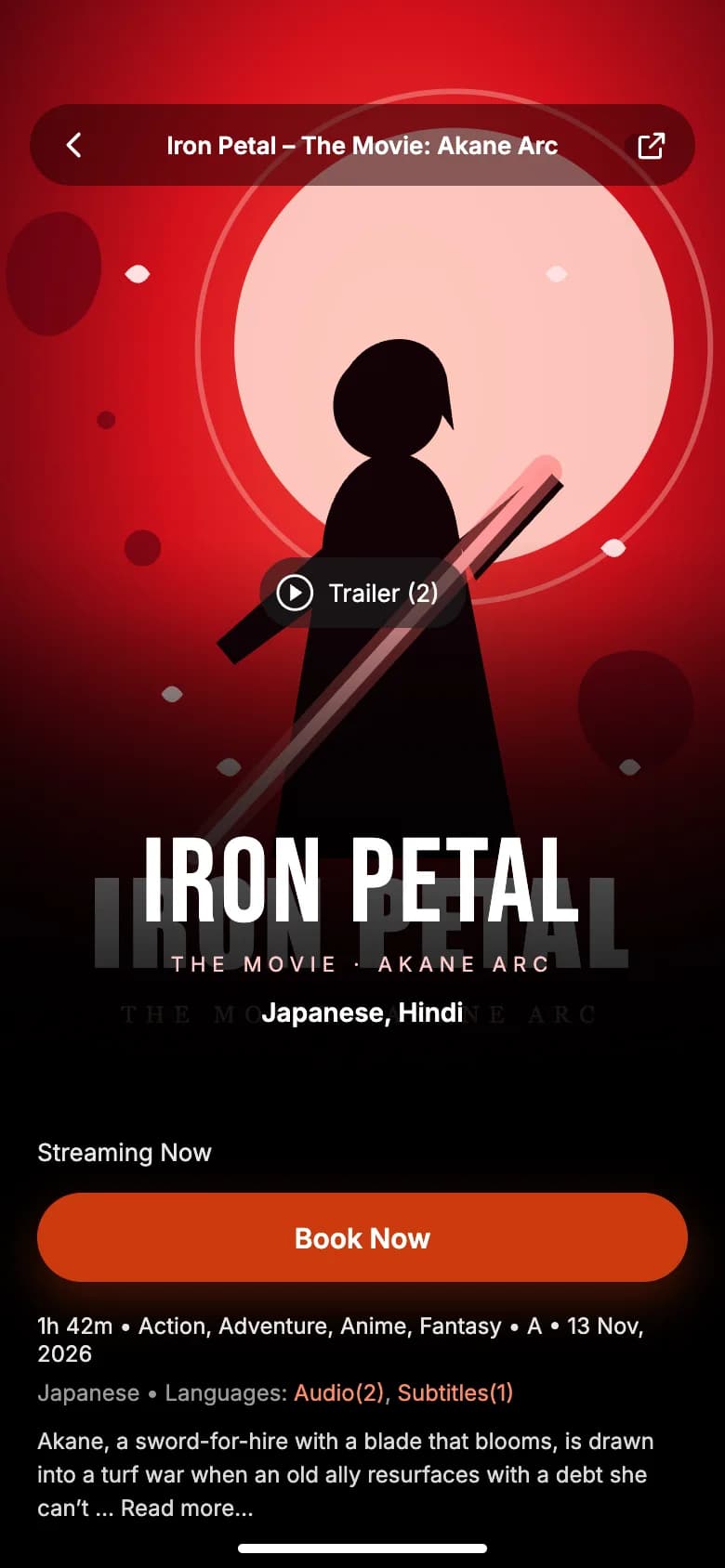
// Travel app UI
Travel Destination App UI Design in Expo
This travel destination app UI feels like opening a storybook atlas. A painted landscape welcomes the user, a globe surrounded by landmarks becomes the home screen, and each trip opens on a full-height view.
- Screens
- 3
- Built with
- Expo SDK 58
- Fonts
- Inter
- License
- Free (MIT)
Driftlands Travel app screens
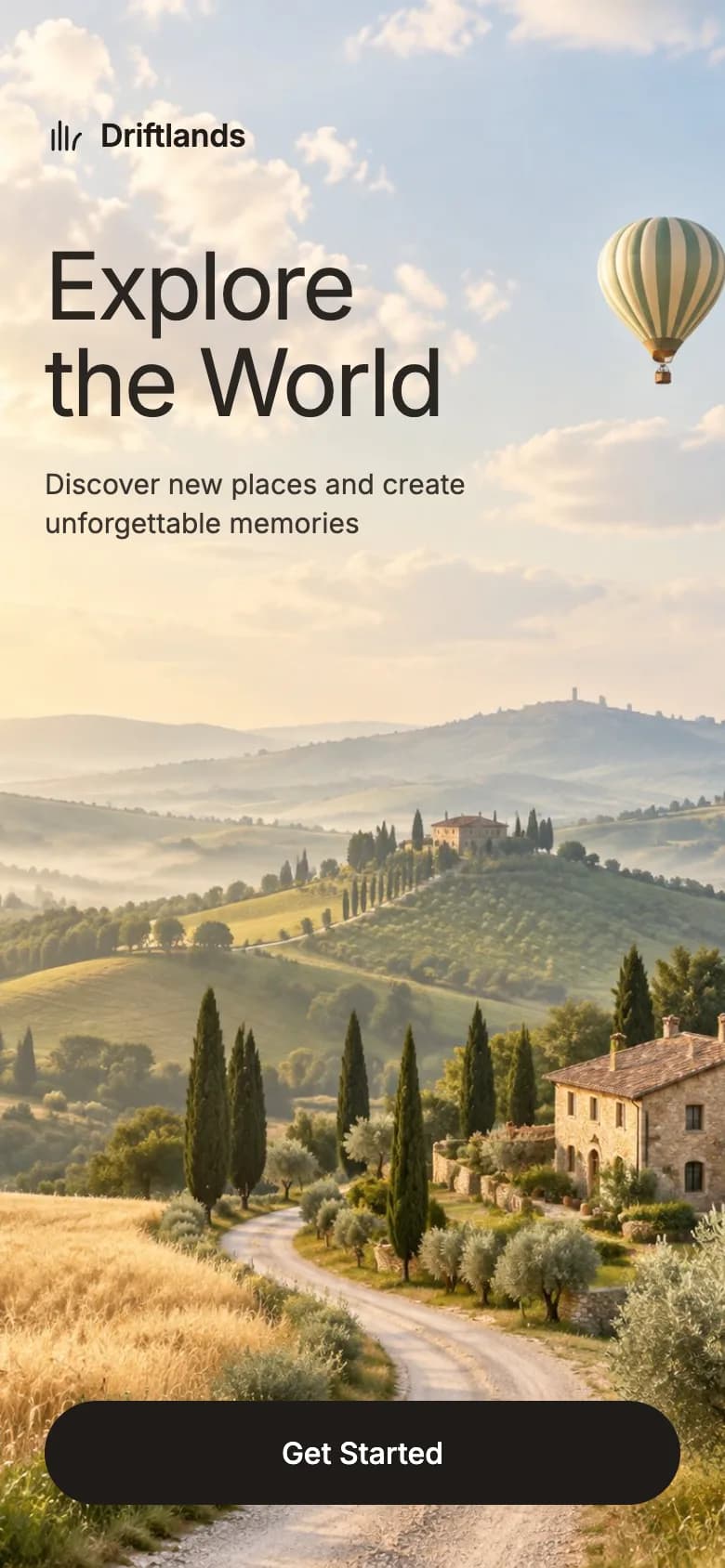
Welcome
A rolling landscape with a balloon, a light headline and one Get Started button.
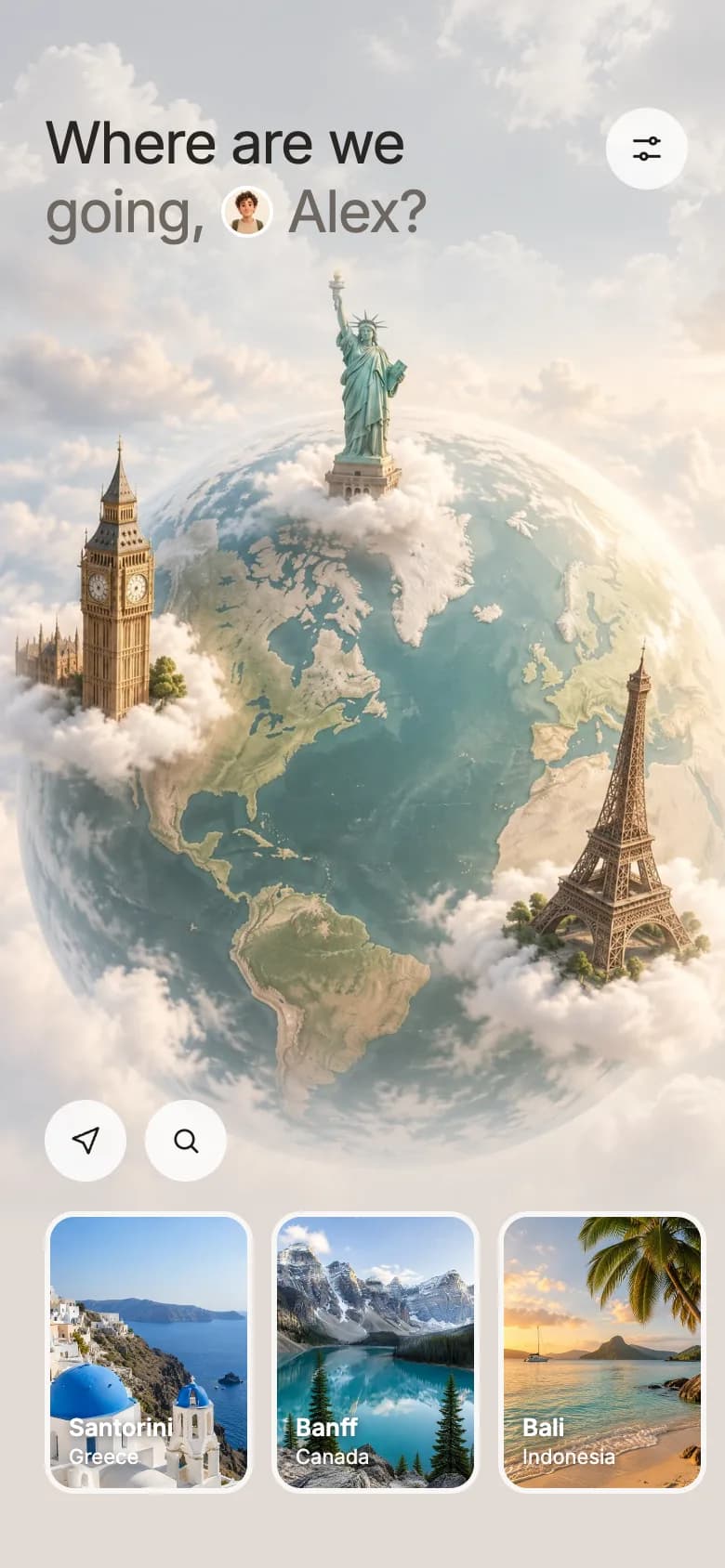
Globe home
A personal question, a globe with world landmarks, location and search buttons, and destination cards.
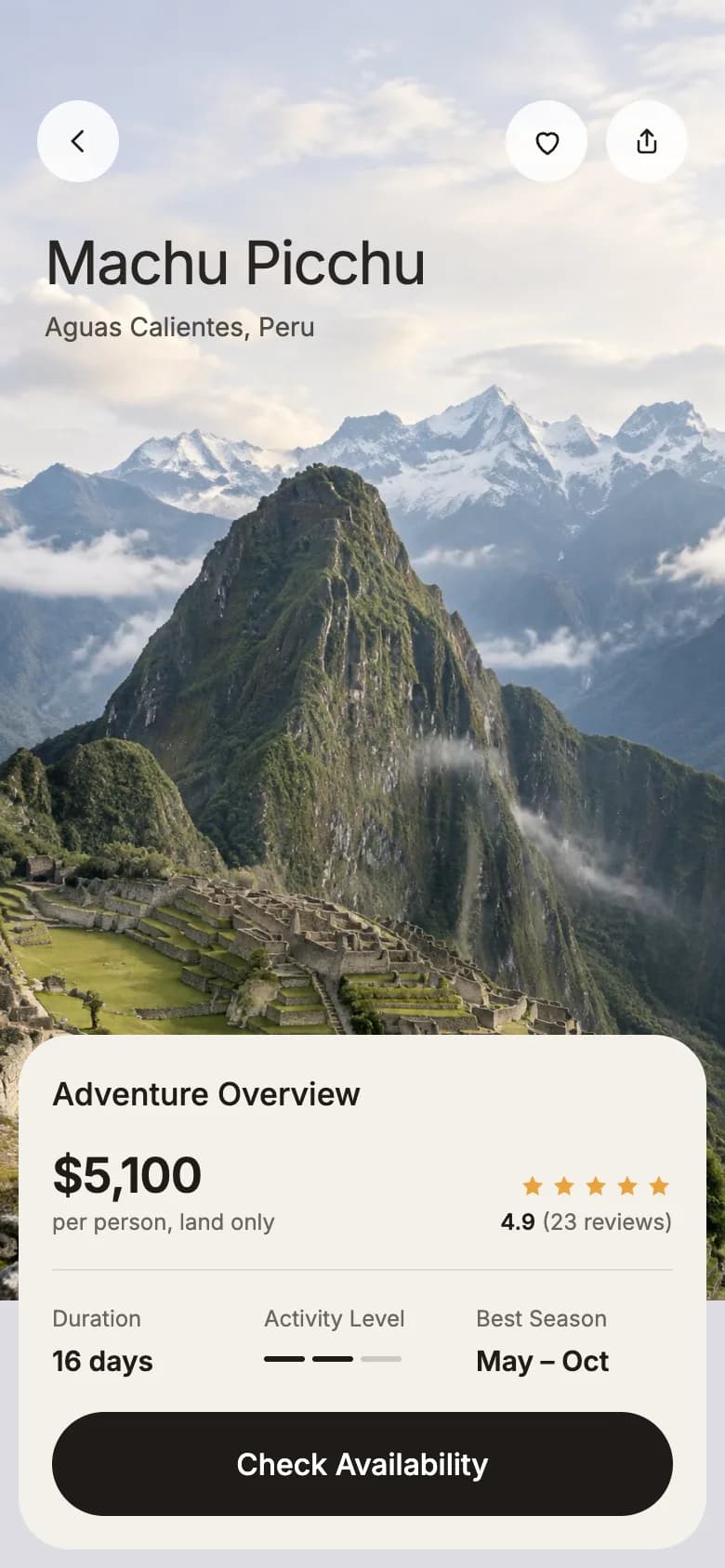
Trip overview
A mountain view with the destination title and an overview card with price, rating, duration and level.
Copy the Driftlands Travel kit
Use the artifact as a design brief, the skill to generate the UI with an AI agent, or the code to run it right away.
Design artifact
The full design: tokens, screens and source
# Driftlands Travel: design artifact
This travel destination app UI feels like opening a storybook atlas. A painted landscape welcomes the user, a globe surrounded by landmarks becomes the home screen, and each trip opens on a full-height view.
- Type: Travel mobile app UI
- Screens: 3
- Artboard: 390 × 844
- Target: Expo SDK 58, Expo Router, TypeScript, expo-image, react-native-svg
- Live page: https://developermill.com/app-designs/travel-destination-app-ui-design
## Design direction
Soft painterly landscapes, light sans-serif headlines and pale glass controls that let full-screen art carry the design.
- Full-screen painted landscapes
- Faded globe drawn with an SVG mask
- Destination cards in a side scroller
- Trip overview with price, level and season
## Foundations
### Colour
| Token | Hex |
| --- | --- |
| Espresso | `#1F1B17` |
| Linen | `#E9DBD0` |
| Pebble | `#E2DBD5` |
| Parchment | `#F4F1EC` |
| Taupe | `#6E6760` |
| Amber star | `#E8A33D` |
### Typography
- Typefaces: Inter
- Common sizes (px): 11, 12, 13, 14, 15, 16, 17, 26
### Shape and depth
- Common corner radii (px): 2, 14, 16, 22, 28
## Screens
### 1. Welcome
A rolling landscape with a balloon, a light headline and one Get Started button.
Preview: https://developermill.com/app-designs/travel-destination-app-ui-design/welcome.webp
Copy on this screen:
- Driftlands
- Explore
- the World
- Discover new places and create unforgettable memories
- Get Started
### 2. Globe home
A personal question, a globe with world landmarks, location and search buttons, and destination cards.
Preview: https://developermill.com/app-designs/travel-destination-app-ui-design/home.webp
Copy on this screen:
- Where are we
- going,
- Alex?
### 3. Trip overview
A mountain view with the destination title and an overview card with price, rating, duration and level.
Preview: https://developermill.com/app-designs/travel-destination-app-ui-design/trip.webp
Copy on this screen:
- Machu Picchu
- Aguas Calientes, Peru
- Adventure Overview
- $5,100
- per person, land only
- 4.9
- (23 reviews)
- Duration
- 16 days
- Activity Level
- Best Season
- May – Oct
- Check Availability
## Full source
The original artboards as HTML. Image URLs point at the hosted demo assets.
### Welcome (Main)
```html
<!doctype html>
<html lang="en">
<head>
<meta charset="utf-8">
<title>Driftlands – Welcome</title>
<script src="./support.js"></script>
</head>
<body>
<x-dc>
<helmet>
<link rel="preconnect" href="https://fonts.googleapis.com">
<link href="https://fonts.googleapis.com/css2?family=Inter:wght@400;500;600&display=swap" rel="stylesheet">
<style>
body{margin:0}
a{color:#1F1B17}a:hover{color:#000}
</style>
</helmet>
<div style="position: relative; width: 390px; height: 844px; overflow: hidden; background: #E9DBD0; font-family: 'Inter', system-ui, sans-serif; color: #1F1B17">
<img src="https://developermill.com/app-designs/travel-destination-app-ui-design/assets/32dd7d5df6.jpg" alt="Rolling Tuscan hills with a winding road, cypress trees, a stone villa and a hot air balloon" style="position: absolute; inset: 0; width: 100%; height: 100%; object-fit: cover; object-position: center 60%">
<div style="position: relative; display: flex; flex-direction: column; height: 100%; box-sizing: border-box; padding: 62px 24px 34px">
<div style="display: flex; align-items: center; gap: 8px">
<svg width="22" height="22" viewBox="0 0 24 24" fill="none" stroke="#1F1B17" stroke-width="1.8" stroke-linecap="round" stroke-linejoin="round" aria-hidden="true"><path d="M5 20V9"></path><path d="M9 20V4"></path><path d="M13 20V7"></path><path d="M17 20c0-5 2-8 4-9"></path></svg>
<span style="font-size: 17px; font-weight: 600; letter-spacing: -0.2px">Driftlands</span>
</div>
<h1 style="margin: 44px 0 0; font-size: 50px; line-height: 1.04; font-weight: 400; letter-spacing: -1.6px; color: #2A2622">Explore<br>the World</h1>
<p style="margin: 18px 0 0; max-width: 230px; font-size: 15px; line-height: 1.4; color: #3A342E">Discover new places and create unforgettable memories</p>
<div style="flex-grow: 1"></div>
<a href="Home.dc.html" style="display: flex; align-items: center; justify-content: center; height: 56px; border-radius: 28px; background: #1F1B17; color: #FFFFFF; font-size: 16px; font-weight: 500; text-decoration: none">Get Started</a>
</div>
</div>
</x-dc>
<script type="text/x-dc" data-dc-script data-props='{"$preview":{"width":390,"height":844}}'>
class Component extends DCLogic {
renderVals() {
return {};
}
}
</script>
</body>
</html>
```
### Globe home (Home)
```html
<!doctype html>
<html lang="en">
<head>
<meta charset="utf-8">
<title>Driftlands – Home</title>
<script src="./support.js"></script>
</head>
<body>
<x-dc>
<helmet>
<link rel="preconnect" href="https://fonts.googleapis.com">
<link href="https://fonts.googleapis.com/css2?family=Inter:wght@400;500;600&display=swap" rel="stylesheet">
<style>
body{margin:0}
a{color:#1F1B17}a:hover{color:#000}
</style>
</helmet>
<div style="position: relative; width: 390px; height: 844px; overflow: hidden; background: #E2DBD5; font-family: 'Inter', system-ui, sans-serif; color: #1F1B17">
<img src="https://developermill.com/app-designs/travel-destination-app-ui-design/assets/8f9631dc2d.jpg" alt="" aria-hidden="true" style="position: absolute; left: 0; top: 0; width: 100%; height: 260px; object-fit: cover; opacity: 0.55">
<img src="https://developermill.com/app-designs/travel-destination-app-ui-design/assets/2e379247b8.jpg" alt="A globe with a clock tower, a torch-bearing statue and an iron lattice tower standing on clouds" style="position: absolute; left: -10px; top: 118px; width: 410px; height: 547px; object-fit: cover; -webkit-mask-image: linear-gradient(to bottom, transparent 0, #000 14%, #000 82%, transparent 100%); mask-image: linear-gradient(to bottom, transparent 0, #000 14%, #000 82%, transparent 100%)">
<div style="position: relative; display: flex; flex-direction: column; height: 100%; box-sizing: border-box; padding: 58px 0 40px">
<div style="display: flex; align-items: flex-start; justify-content: space-between; gap: 12px; padding: 0 20px 0 24px">
<h1 style="margin: 0; font-size: 31px; line-height: 1.2; font-weight: 400; letter-spacing: -0.8px; color: #2A2622">Where are we<br>
<span style="display: inline-flex; align-items: center; gap: 8px; color: #6E6760">going, <img src="https://developermill.com/app-designs/travel-destination-app-ui-design/assets/d15c738689.jpg" alt="" aria-hidden="true" style="width: 28px; height: 28px; border-radius: 14px; object-fit: cover; border: 2px solid #FFFFFF; box-sizing: border-box"> Alex?</span>
</h1>
<button aria-label="Filters" style="flex-shrink: 0; width: 44px; height: 44px; border-radius: 22px; border: none; background: rgba(255, 255, 255, 0.78); display: flex; align-items: center; justify-content: center; cursor: pointer">
<svg width="20" height="20" viewBox="0 0 24 24" fill="none" stroke="#1F1B17" stroke-width="1.8" stroke-linecap="round" aria-hidden="true"><path d="M4 7h10"></path><path d="M18 7h2"></path><circle cx="16" cy="7" r="2"></circle><path d="M4 17h4"></path><path d="M12 17h8"></path><circle cx="10" cy="17" r="2"></circle></svg>
</button>
</div>
<div style="flex-grow: 1"></div>
<div style="display: flex; gap: 10px; padding: 0 24px 16px">
<button aria-label="Use my location" style="width: 44px; height: 44px; border-radius: 22px; border: none; background: rgba(255, 255, 255, 0.82); display: flex; align-items: center; justify-content: center; cursor: pointer">
<svg width="18" height="18" viewBox="0 0 24 24" fill="none" stroke="#1F1B17" stroke-width="1.8" stroke-linecap="round" stroke-linejoin="round" aria-hidden="true"><path d="M21 3 3 10.5l7.5 3L14 21z"></path></svg>
</button>
<button aria-label="Search destinations" style="width: 44px; height: 44px; border-radius: 22px; border: none; background: rgba(255, 255, 255, 0.82); display: flex; align-items: center; justify-content: center; cursor: pointer">
<svg width="18" height="18" viewBox="0 0 24 24" fill="none" stroke="#1F1B17" stroke-width="1.8" stroke-linecap="round" aria-hidden="true"><circle cx="11" cy="11" r="6.5"></circle><path d="m20 20-4.2-4.2"></path></svg>
</button>
</div>
<div style="display: flex; gap: 10px; padding: 0 24px; overflow-x: auto">
<sc-for list="{{places}}" as="place" hint-placeholder-count="4">
<a href="Detail.dc.html" style="position: relative; flex-shrink: 0; display: block; width: 112px; height: 152px; border-radius: 16px; overflow: hidden; border: 3px solid rgba(255, 255, 255, 0.85); box-sizing: border-box; text-decoration: none; background: #C9C2BA">
<img src="{{place.img}}" alt="{{place.name}}" style="position: absolute; inset: 0; width: 100%; height: 100%; object-fit: cover">
<span style="position: absolute; left: 10px; bottom: 10px; display: flex; flex-direction: column; gap: 1px; color: #FFFFFF; text-shadow: 0 1px 6px rgba(0, 0, 0, 0.55)">
<span style="font-size: 13px; font-weight: 600">{{place.name}}</span>
<span style="font-size: 11px; opacity: 0.95">{{place.country}}</span>
</span>
</a>
</sc-for>
</div>
</div>
</div>
</x-dc>
<script type="text/x-dc" data-dc-script data-props='{"$preview":{"width":390,"height":844}}'>
class Component extends DCLogic {
renderVals() {
return {
places: [
{ name: 'Santorini', country: 'Greece', img: 'https://developermill.com/app-designs/travel-destination-app-ui-design/assets/24fddef99e.jpg' },
{ name: 'Banff', country: 'Canada', img: 'https://developermill.com/app-designs/travel-destination-app-ui-design/assets/ecfb1b8be0.jpg' },
{ name: 'Bali', country: 'Indonesia', img: 'https://developermill.com/app-designs/travel-destination-app-ui-design/assets/ad0b5ace8b.jpg' },
{ name: 'Machu Picchu', country: 'Peru', img: 'https://developermill.com/app-designs/travel-destination-app-ui-design/assets/354c2bbc7c.jpg' }
]
};
}
}
</script>
</body>
</html>
```
### Trip overview (Detail)
```html
<!doctype html>
<html lang="en">
<head>
<meta charset="utf-8">
<title>Driftlands – Machu Picchu</title>
<script src="./support.js"></script>
</head>
<body>
<x-dc>
<helmet>
<link rel="preconnect" href="https://fonts.googleapis.com">
<link href="https://fonts.googleapis.com/css2?family=Inter:wght@400;500;600&display=swap" rel="stylesheet">
<style>
body{margin:0}
a{color:#1F1B17}a:hover{color:#000}
</style>
</helmet>
<div style="position: relative; width: 390px; height: 844px; overflow: hidden; background: #DCDCE2; font-family: 'Inter', system-ui, sans-serif; color: #1F1B17">
<img src="https://developermill.com/app-designs/travel-destination-app-ui-design/assets/354c2bbc7c.jpg" alt="Inca stone ruins on terraced slopes beneath a steep green peak and snow-capped Andes" style="position: absolute; left: 0; top: 0; width: 100%; height: 700px; object-fit: cover; object-position: center 30%">
<div style="position: relative; display: flex; flex-direction: column; height: 100%; box-sizing: border-box; padding: 54px 0 0">
<div style="display: flex; align-items: center; justify-content: space-between; padding: 0 20px">
<a href="Home.dc.html" aria-label="Back" style="width: 44px; height: 44px; border-radius: 22px; background: rgba(255, 255, 255, 0.85); display: flex; align-items: center; justify-content: center">
<svg width="18" height="18" viewBox="0 0 24 24" fill="none" stroke="#1F1B17" stroke-width="2" stroke-linecap="round" stroke-linejoin="round" aria-hidden="true"><path d="m15 5-7 7 7 7"></path></svg>
</a>
<div style="display: flex; gap: 10px">
<button aria-label="Save to wishlist" aria-pressed="{{likedPressed}}" onClick="{{toggleLike}}" style="width: 44px; height: 44px; border-radius: 22px; border: none; background: rgba(255, 255, 255, 0.85); display: flex; align-items: center; justify-content: center; cursor: pointer">
<svg width="19" height="19" viewBox="0 0 24 24" fill="{{heartFill}}" stroke="{{heartStroke}}" stroke-width="1.8" stroke-linejoin="round" aria-hidden="true"><path d="M12 20s-7-4.4-7-10a4 4 0 0 1 7-2.6A4 4 0 0 1 19 10c0 5.6-7 10-7 10z"></path></svg>
</button>
<button aria-label="Share" style="width: 44px; height: 44px; border-radius: 22px; border: none; background: rgba(255, 255, 255, 0.85); display: flex; align-items: center; justify-content: center; cursor: pointer">
<svg width="18" height="18" viewBox="0 0 24 24" fill="none" stroke="#1F1B17" stroke-width="1.8" stroke-linecap="round" stroke-linejoin="round" aria-hidden="true"><path d="M12 4v11"></path><path d="m8 8 4-4 4 4"></path><path d="M6 12v6a2 2 0 0 0 2 2h8a2 2 0 0 0 2-2v-6"></path></svg>
</button>
</div>
</div>
<h1 style="margin: 26px 0 0; padding: 0 24px; font-size: 32px; line-height: 1.15; font-weight: 400; letter-spacing: -0.8px; color: #2A2622">Machu Picchu</h1>
<p style="margin: 6px 0 0; padding: 0 24px; font-size: 14px; color: #4F4A45">Aguas Calientes, Peru</p>
<div style="flex-grow: 1"></div>
<section style="display: flex; flex-direction: column; gap: 18px; margin: 0 10px 10px; padding: 22px 18px 18px; border-radius: 28px; background: #F4F1EC">
<h2 style="margin: 0; font-size: 17px; font-weight: 500; color: #1F1B17">Adventure Overview</h2>
<div style="display: flex; justify-content: space-between; align-items: flex-end; gap: 12px">
<div style="display: flex; flex-direction: column; gap: 2px">
<span style="font-size: 26px; font-weight: 600; letter-spacing: -0.5px">$5,100</span>
<span style="font-size: 12px; color: #6B655F">per person, land only</span>
</div>
<div style="display: flex; flex-direction: column; align-items: flex-end; gap: 4px">
<span style="display: flex; gap: 2px" role="img" aria-label="Rated 4.9 out of 5">
<svg width="15" height="15" viewBox="0 0 24 24" fill="#E8A33D" aria-hidden="true"><path d="m12 3 2.7 5.6 6.1.9-4.4 4.3 1 6.1L12 17l-5.4 2.9 1-6.1-4.4-4.3 6.1-.9z"></path></svg>
<svg width="15" height="15" viewBox="0 0 24 24" fill="#E8A33D" aria-hidden="true"><path d="m12 3 2.7 5.6 6.1.9-4.4 4.3 1 6.1L12 17l-5.4 2.9 1-6.1-4.4-4.3 6.1-.9z"></path></svg>
<svg width="15" height="15" viewBox="0 0 24 24" fill="#E8A33D" aria-hidden="true"><path d="m12 3 2.7 5.6 6.1.9-4.4 4.3 1 6.1L12 17l-5.4 2.9 1-6.1-4.4-4.3 6.1-.9z"></path></svg>
<svg width="15" height="15" viewBox="0 0 24 24" fill="#E8A33D" aria-hidden="true"><path d="m12 3 2.7 5.6 6.1.9-4.4 4.3 1 6.1L12 17l-5.4 2.9 1-6.1-4.4-4.3 6.1-.9z"></path></svg>
<svg width="15" height="15" viewBox="0 0 24 24" fill="#E8A33D" aria-hidden="true"><path d="m12 3 2.7 5.6 6.1.9-4.4 4.3 1 6.1L12 17l-5.4 2.9 1-6.1-4.4-4.3 6.1-.9z"></path></svg>
</span>
<span style="font-size: 12px; color: #6B655F"><strong style="color: #1F1B17; font-weight: 600">4.9</strong> (23 reviews)</span>
</div>
</div>
<div style="height: 1px; background: #E0DBD4"></div>
<div style="display: grid; grid-template-columns: repeat(3, minmax(0, 1fr)); gap: 8px">
<div style="display: flex; flex-direction: column; gap: 6px">
<span style="font-size: 12px; color: #6B655F">Duration</span>
<span style="font-size: 15px; font-weight: 600">16 days</span>
</div>
<div style="display: flex; flex-direction: column; gap: 6px">
<span style="font-size: 12px; color: #6B655F">Activity Level</span>
<span style="display: flex; gap: 4px; padding-top: 7px" role="img" aria-label="Moderate, 2 of 3">
<span style="width: 22px; height: 3px; border-radius: 2px; background: #1F1B17"></span>
<span style="width: 22px; height: 3px; border-radius: 2px; background: #1F1B17"></span>
<span style="width: 22px; height: 3px; border-radius: 2px; background: #CFC9C1"></span>
</span>
</div>
<div style="display: flex; flex-direction: column; gap: 6px">
<span style="font-size: 12px; color: #6B655F">Best Season</span>
<span style="font-size: 15px; font-weight: 600">May – Oct</span>
</div>
</div>
<button style="height: 56px; border-radius: 28px; border: none; background: #1F1B17; color: #FFFFFF; font-family: inherit; font-size: 16px; font-weight: 500; cursor: pointer">Check Availability</button>
</section>
</div>
</div>
</x-dc>
<script type="text/x-dc" data-dc-script data-props='{"$preview":{"width":390,"height":844}}'>
class Component extends DCLogic {
constructor(props) {
super(props);
this.state = { liked: false };
}
renderVals() {
const liked = this.state.liked;
return {
likedPressed: liked ? 'true' : 'false',
heartFill: liked ? '#D9534F' : 'none',
heartStroke: liked ? '#D9534F' : '#1F1B17',
toggleLike: () => this.setState({ liked: !liked })
};
}
}
</script>
</body>
</html>
```SKILL.md
Save as .claude/skills/travel-destination-app-ui/SKILL.md
---
name: travel-destination-app-ui
description: Build the Driftlands Travel mobile app UI in Expo React Native. Use when asked to create a travel app UI or a new screen in this visual style.
---

# Driftlands Travel app UI

Build this travel app UI in an Expo Router project with TypeScript.

Reference: https://developermill.com/app-designs/travel-destination-app-ui-design

## Visual direction

Soft painterly landscapes, light sans-serif headlines and pale glass controls that let full-screen art carry the design.

Keep these signature details:

- Full-screen painted landscapes
- Faded globe drawn with an SVG mask
- Destination cards in a side scroller
- Trip overview with price, level and season

## Set up

```bash
npx expo install expo-image react-native-svg @expo-google-fonts/inter expo-font
```

## Tokens

| Name | Hex |
| --- | --- |
| Espresso | `#1F1B17` |
| Linen | `#E9DBD0` |
| Pebble | `#E2DBD5` |
| Parchment | `#F4F1EC` |
| Taupe | `#6E6760` |
| Amber star | `#E8A33D` |

- Typefaces: Inter
- Text sizes (px): 11, 12, 13, 14, 15, 16, 17, 26
- Corner radii (px): 2, 14, 16, 22, 28

Define these once and reuse them. Do not add new colours.

## Screens

1. **Welcome.** A rolling landscape with a balloon, a light headline and one Get Started button.
2. **Globe home.** A personal question, a globe with world landmarks, location and search buttons, and destination cards.
3. **Trip overview.** A mountain view with the destination title and an overview card with price, rating, duration and level.

## Build rules

- Draw each screen on a 390 × 844 artboard and scale it to the device width.
- Load each custom font weight by family name with expo-font. Do not set fontWeight with custom fonts.
- Draw icons, charts and illustrations with react-native-svg.
- Use Pressable with an accessibilityLabel for controls, with at least a 44px target.
- Navigate with router.navigate and keep sample data as constants at the top of the file.
- Use expo-image with contentFit for photos.

## Done when

- All routes are linked and reachable.
- Colours, type and radii match the tokens above.
- `npx tsc --noEmit` and `npx expo lint` pass.
- The layout holds up on small and large phones.
Set up the project
npx create-expo-app@latest travel-destination-app --template default
cd travel-destination-app
rm -rf src
npx expo install expo-image react-native-svg @expo-google-fonts/inter expo-font
src/app/_layout.tsx
import { Inter_400Regular, Inter_500Medium, Inter_600SemiBold } from '@expo-google-fonts/inter';
import { useFonts } from 'expo-font';
import { Stack } from 'expo-router';

export default function RootLayout() {
  const [fontsLoaded] = useFonts({ Inter_400Regular, Inter_500Medium, Inter_600SemiBold });

  if (!fontsLoaded) return null;

  return <Stack screenOptions={{ headerShown: false }} />;
}
src/app/index.tsx
import { Image } from 'expo-image';
import { router } from 'expo-router';
import { Pressable, Text, View } from 'react-native';
import Svg, { Path } from 'react-native-svg';

import { Screen } from '@/components/screen';
import { asset } from '@/lib/assets';

export default function MainScreen() {
  return (
    <Screen background="#E9DBD0" statusBar="dark">
      <View style={{ flex: 1 }}>
        <Image
          source={{ uri: asset('32dd7d5df6.jpg') }}
          contentFit="cover"
          contentPosition={{ left: 'center', top: '60%' }}
          accessibilityLabel="Rolling Tuscan hills with a winding road, cypress trees, a stone villa and a hot air balloon"
          style={{
            position: 'absolute',
            top: 0,
            right: 0,
            bottom: 0,
            left: 0,
            width: '100%',
            height: '100%',
          }}
        />
        <View style={{ height: '100%', paddingTop: 62, paddingBottom: 34, paddingHorizontal: 24 }}>
          <View style={{ alignItems: 'center', gap: 8, flexDirection: 'row' }}>
            <Svg
              width="22"
              height="22"
              viewBox="0 0 24 24"
              fill="none"
              stroke="#1F1B17"
              strokeWidth="1.8"
              strokeLinecap="round"
              strokeLinejoin="round">
              <Path d="M5 20V9" />
              <Path d="M9 20V4" />
              <Path d="M13 20V7" />
              <Path d="M17 20c0-5 2-8 4-9" />
            </Svg>
            <Text
              style={{
                flexShrink: 1,
                fontFamily: 'Inter_600SemiBold',
                fontSize: 17,
                color: '#1F1B17',
                letterSpacing: -0.2,
              }}>
              Driftlands
            </Text>
          </View>
          <Text
            style={{
              marginTop: 44,
              marginBottom: 0,
              marginHorizontal: 0,
              fontFamily: 'Inter_400Regular',
              fontSize: 50,
              color: '#2A2622',
              letterSpacing: -1.6,
              lineHeight: 52,
            }}>
            Explore{'\n'}the World
          </Text>
          <Text
            style={{
              marginTop: 18,
              marginBottom: 0,
              marginHorizontal: 0,
              maxWidth: 230,
              fontFamily: 'Inter_400Regular',
              fontSize: 15,
              color: '#3A342E',
              lineHeight: 21,
            }}>
            Discover new places and create unforgettable memories
          </Text>
          <View style={{ flexGrow: 1 }} />
          <Pressable
            accessibilityRole="link"
            onPress={() => router.navigate('/home')}
            style={{
              alignItems: 'center',
              justifyContent: 'center',
              height: 56,
              borderRadius: 28,
              backgroundColor: '#1F1B17',
              flexDirection: 'row',
            }}>
            <Text
              style={{
                fontFamily: 'Inter_500Medium',
                fontSize: 16,
                color: '#FFFFFF',
                flexShrink: 1,
              }}>
              Get Started
            </Text>
          </Pressable>
        </View>
      </View>
    </Screen>
  );
}
src/app/detail.tsx
import { Image } from 'expo-image';
import { router } from 'expo-router';
import { useState } from 'react';
import { Pressable, Text, View } from 'react-native';
import Svg, { Path } from 'react-native-svg';

import { Screen } from '@/components/screen';
import { asset } from '@/lib/assets';

// Screen state, and the values the layout below reads from it.
function useScreen() {
  const [state, setScreenState] = useState<Record<string, any>>({ liked: false });
  const setState = (patch: Record<string, any>) =>
    setScreenState((current) => ({ ...current, ...patch }));

  const liked = state.liked;
  return {
    likedPressed: liked ? 'true' : 'false',
    heartFill: liked ? '#D9534F' : 'none',
    heartStroke: liked ? '#D9534F' : '#1F1B17',
    toggleLike: () => setState({ liked: !liked }),
  };
}

export default function DetailScreen() {
  const { heartFill, heartStroke, toggleLike } = useScreen();
  return (
    <Screen background="#DCDCE2" statusBar="dark">
      <View style={{ flex: 1 }}>
        <Image
          source={{ uri: asset('354c2bbc7c.jpg') }}
          contentFit="cover"
          contentPosition={{ left: 'center', top: '30%' }}
          accessibilityLabel="Inca stone ruins on terraced slopes beneath a steep green peak and snow-capped Andes"
          style={{ position: 'absolute', left: 0, top: 0, width: '100%', height: 700 }}
        />
        <View style={{ height: '100%', paddingTop: 54, paddingBottom: 0, paddingHorizontal: 0 }}>
          <View
            style={{
              alignItems: 'center',
              justifyContent: 'space-between',
              paddingVertical: 0,
              paddingHorizontal: 20,
              flexDirection: 'row',
            }}>
            <Pressable
              accessibilityRole="link"
              accessibilityLabel="Back"
              onPress={() => router.navigate('/home')}
              style={{
                width: 44,
                height: 44,
                borderRadius: 22,
                backgroundColor: 'rgba(255, 255, 255, 0.85)',
                alignItems: 'center',
                justifyContent: 'center',
                flexDirection: 'row',
              }}>
              <Svg
                width="18"
                height="18"
                viewBox="0 0 24 24"
                fill="none"
                stroke="#1F1B17"
                strokeWidth="2"
                strokeLinecap="round"
                strokeLinejoin="round">
                <Path d="m15 5-7 7 7 7" />
              </Svg>
            </Pressable>
            <View style={{ gap: 10, flexShrink: 1, flexDirection: 'row' }}>
              <Pressable
                accessibilityRole="button"
                accessibilityLabel="Save to wishlist"
                onPress={toggleLike}
                style={{
                  width: 44,
                  height: 44,
                  borderRadius: 22,
                  borderWidth: 0,
                  backgroundColor: 'rgba(255, 255, 255, 0.85)',
                  alignItems: 'center',
                  justifyContent: 'center',
                  flexDirection: 'row',
                }}>
                <Svg
                  width="19"
                  height="19"
                  viewBox="0 0 24 24"
                  fill={heartFill}
                  stroke={heartStroke}
                  strokeWidth="1.8"
                  strokeLinejoin="round">
                  <Path d="M12 20s-7-4.4-7-10a4 4 0 0 1 7-2.6A4 4 0 0 1 19 10c0 5.6-7 10-7 10z" />
                </Svg>
              </Pressable>
              <Pressable
                accessibilityRole="button"
                accessibilityLabel="Share"
                style={{
                  width: 44,
                  height: 44,
                  borderRadius: 22,
                  borderWidth: 0,
                  backgroundColor: 'rgba(255, 255, 255, 0.85)',
                  alignItems: 'center',
                  justifyContent: 'center',
                  flexDirection: 'row',
                }}>
                <Svg
                  width="18"
                  height="18"
                  viewBox="0 0 24 24"
                  fill="none"
                  stroke="#1F1B17"
                  strokeWidth="1.8"
                  strokeLinecap="round"
                  strokeLinejoin="round">
                  <Path d="M12 4v11" />
                  <Path d="m8 8 4-4 4 4" />
                  <Path d="M6 12v6a2 2 0 0 0 2 2h8a2 2 0 0 0 2-2v-6" />
                </Svg>
              </Pressable>
            </View>
          </View>
          <Text
            style={{
              marginTop: 26,
              marginBottom: 0,
              marginHorizontal: 0,
              paddingVertical: 0,
              paddingHorizontal: 24,
              fontFamily: 'Inter_400Regular',
              fontSize: 32,
              color: '#2A2622',
              letterSpacing: -0.8,
              lineHeight: 36.8,
            }}>
            Machu Picchu
          </Text>
          <Text
            style={{
              marginTop: 6,
              marginBottom: 0,
              marginHorizontal: 0,
              paddingVertical: 0,
              paddingHorizontal: 24,
              fontFamily: 'Inter_400Regular',
              fontSize: 14,
              color: '#4F4A45',
            }}>
            Aguas Calientes, Peru
          </Text>
          <View style={{ flexGrow: 1 }} />
          <View
            style={{
              gap: 18,
              marginTop: 0,
              marginBottom: 10,
              marginHorizontal: 10,
              paddingTop: 22,
              paddingBottom: 18,
              paddingHorizontal: 18,
              borderRadius: 28,
              backgroundColor: '#F4F1EC',
            }}>
            <Text
              style={{ margin: 0, fontFamily: 'Inter_500Medium', fontSize: 17, color: '#1F1B17' }}>
              Adventure Overview
            </Text>
            <View
              style={{
                justifyContent: 'space-between',
                alignItems: 'flex-end',
                gap: 12,
                flexDirection: 'row',
              }}>
              <View style={{ gap: 2, flexShrink: 1 }}>
                <Text
                  style={{
                    fontFamily: 'Inter_600SemiBold',
                    fontSize: 26,
                    color: '#1F1B17',
                    letterSpacing: -0.5,
                  }}>
                  $5,100
                </Text>
                <Text style={{ fontFamily: 'Inter_400Regular', fontSize: 12, color: '#6B655F' }}>
                  per person, land only
                </Text>
              </View>
              <View style={{ alignItems: 'flex-end', gap: 4, flexShrink: 1 }}>
                <View
                  accessibilityRole="image"
                  accessibilityLabel="Rated 4.9 out of 5"
                  style={{ gap: 2, flexDirection: 'row' }}>
                  <Svg width="15" height="15" viewBox="0 0 24 24" fill="#E8A33D">
                    <Path d="m12 3 2.7 5.6 6.1.9-4.4 4.3 1 6.1L12 17l-5.4 2.9 1-6.1-4.4-4.3 6.1-.9z" />
                  </Svg>
                  <Svg width="15" height="15" viewBox="0 0 24 24" fill="#E8A33D">
                    <Path d="m12 3 2.7 5.6 6.1.9-4.4 4.3 1 6.1L12 17l-5.4 2.9 1-6.1-4.4-4.3 6.1-.9z" />
                  </Svg>
                  <Svg width="15" height="15" viewBox="0 0 24 24" fill="#E8A33D">
                    <Path d="m12 3 2.7 5.6 6.1.9-4.4 4.3 1 6.1L12 17l-5.4 2.9 1-6.1-4.4-4.3 6.1-.9z" />
                  </Svg>
                  <Svg width="15" height="15" viewBox="0 0 24 24" fill="#E8A33D">
                    <Path d="m12 3 2.7 5.6 6.1.9-4.4 4.3 1 6.1L12 17l-5.4 2.9 1-6.1-4.4-4.3 6.1-.9z" />
                  </Svg>
                  <Svg width="15" height="15" viewBox="0 0 24 24" fill="#E8A33D">
                    <Path d="m12 3 2.7 5.6 6.1.9-4.4 4.3 1 6.1L12 17l-5.4 2.9 1-6.1-4.4-4.3 6.1-.9z" />
                  </Svg>
                </View>
                <Text style={{ fontFamily: 'Inter_400Regular', fontSize: 12, color: '#6B655F' }}>
                  <Text style={{ fontFamily: 'Inter_600SemiBold', color: '#1F1B17' }}>4.9</Text>
                  {' (23 reviews)'}
                </Text>
              </View>
            </View>
            <View style={{ height: 1, backgroundColor: '#E0DBD4' }} />
            <View style={{ flexDirection: 'row', gap: 8 }}>
              <View style={{ gap: 6, flex: 1 }}>
                <Text style={{ fontFamily: 'Inter_400Regular', fontSize: 12, color: '#6B655F' }}>
                  Duration
                </Text>
                <Text style={{ fontFamily: 'Inter_600SemiBold', fontSize: 15, color: '#1F1B17' }}>
                  16 days
                </Text>
              </View>
              <View style={{ gap: 6, flex: 1 }}>
                <Text style={{ fontFamily: 'Inter_400Regular', fontSize: 12, color: '#6B655F' }}>
                  Activity Level
                </Text>
                <View
                  accessibilityRole="image"
                  accessibilityLabel="Moderate, 2 of 3"
                  style={{ gap: 4, paddingTop: 7, flexDirection: 'row' }}>
                  <View
                    style={{ width: 22, height: 3, borderRadius: 2, backgroundColor: '#1F1B17' }}
                  />
                  <View
                    style={{ width: 22, height: 3, borderRadius: 2, backgroundColor: '#1F1B17' }}
                  />
                  <View
                    style={{ width: 22, height: 3, borderRadius: 2, backgroundColor: '#CFC9C1' }}
                  />
                </View>
              </View>
              <View style={{ gap: 6, flex: 1 }}>
                <Text style={{ fontFamily: 'Inter_400Regular', fontSize: 12, color: '#6B655F' }}>
                  Best Season
                </Text>
                <Text style={{ fontFamily: 'Inter_600SemiBold', fontSize: 15, color: '#1F1B17' }}>
                  May – Oct
                </Text>
              </View>
            </View>
            <Pressable
              accessibilityRole="button"
              style={{
                height: 56,
                borderRadius: 28,
                borderWidth: 0,
                backgroundColor: '#1F1B17',
                alignItems: 'center',
                justifyContent: 'center',
              }}>
              <Text
                style={{
                  fontFamily: 'Inter_500Medium',
                  fontSize: 16,
                  color: '#FFFFFF',
                  textAlign: 'center',
                }}>
                Check Availability
              </Text>
            </Pressable>
          </View>
        </View>
      </View>
    </Screen>
  );
}
src/app/home.tsx
import { Image } from 'expo-image';
import { router } from 'expo-router';
import { Pressable, ScrollView, Text, View } from 'react-native';
import Svg, {
  Circle,
  Defs,
  Mask,
  Path,
  Rect,
  Stop,
  Image as SvgImage,
  LinearGradient as SvgLinearGradient,
} from 'react-native-svg';

import { Screen } from '@/components/screen';
import { asset } from '@/lib/assets';

const places = [
  { name: 'Santorini', country: 'Greece', img: '24fddef99e.jpg' },
  { name: 'Banff', country: 'Canada', img: 'ecfb1b8be0.jpg' },
  { name: 'Bali', country: 'Indonesia', img: 'ad0b5ace8b.jpg' },
  { name: 'Machu Picchu', country: 'Peru', img: '354c2bbc7c.jpg' },
];

export default function HomeScreen() {
  return (
    <Screen background="#E2DBD5" statusBar="dark">
      <View style={{ flex: 1 }}>
        <Image
          source={{ uri: asset('8f9631dc2d.jpg') }}
          contentFit="cover"
          style={{
            position: 'absolute',
            left: 0,
            top: 0,
            width: '100%',
            height: 260,
            opacity: 0.55,
          }}
        />
        <Svg
          width="410"
          height="547"
          viewBox="0 0 410 547"
          style={{ position: 'absolute', left: -10, top: 118 }}>
          <Defs>
            <SvgLinearGradient id="globeFade" x1="0" y1="0" x2="0" y2="1">
              <Stop offset="0" stopColor="#ffffff" stopOpacity="0" />
              <Stop offset="0.14" stopColor="#ffffff" stopOpacity="1" />
              <Stop offset="0.82" stopColor="#ffffff" stopOpacity="1" />
              <Stop offset="1" stopColor="#ffffff" stopOpacity="0" />
            </SvgLinearGradient>
            <Mask id="globeMask">
              <Rect width="410" height="547" fill="url(#globeFade)" />
            </Mask>
          </Defs>
          <SvgImage
            href={asset('2e379247b8.jpg')}
            width="410"
            height="547"
            preserveAspectRatio="xMidYMid slice"
            mask="url(#globeMask)"
          />
        </Svg>
        <View style={{ height: '100%', paddingTop: 58, paddingBottom: 40, paddingHorizontal: 0 }}>
          <View
            style={{
              alignItems: 'flex-start',
              justifyContent: 'space-between',
              gap: 12,
              paddingVertical: 0,
              paddingLeft: 24,
              paddingRight: 20,
              flexDirection: 'row',
            }}>
            <View style={{ margin: 0, flexShrink: 1 }}>
              <Text
                style={{
                  fontFamily: 'Inter_400Regular',
                  fontSize: 31,
                  color: '#2A2622',
                  letterSpacing: -0.8,
                  lineHeight: 37.2,
                }}>
                Where are we{'\n'}
              </Text>
              <View
                style={{
                  alignItems: 'center',
                  gap: 8,
                  alignSelf: 'flex-start',
                  flexDirection: 'row',
                }}>
                <Text
                  style={{
                    fontFamily: 'Inter_400Regular',
                    fontSize: 31,
                    color: '#6E6760',
                    letterSpacing: -0.8,
                    lineHeight: 37.2,
                    flexShrink: 1,
                  }}>
                  going,
                </Text>
                <Image
                  source={{ uri: asset('d15c738689.jpg') }}
                  contentFit="cover"
                  style={{
                    width: 28,
                    height: 28,
                    borderRadius: 14,
                    borderWidth: 2,
                    borderColor: '#FFFFFF',
                  }}
                />
                <Text
                  style={{
                    fontFamily: 'Inter_400Regular',
                    fontSize: 31,
                    color: '#6E6760',
                    letterSpacing: -0.8,
                    lineHeight: 37.2,
                    flexShrink: 1,
                  }}>
                  Alex?
                </Text>
              </View>
            </View>
            <Pressable
              accessibilityRole="button"
              accessibilityLabel="Filters"
              style={{
                flexShrink: 0,
                width: 44,
                height: 44,
                borderRadius: 22,
                borderWidth: 0,
                backgroundColor: 'rgba(255, 255, 255, 0.78)',
                alignItems: 'center',
                justifyContent: 'center',
                flexDirection: 'row',
              }}>
              <Svg
                width="20"
                height="20"
                viewBox="0 0 24 24"
                fill="none"
                stroke="#1F1B17"
                strokeWidth="1.8"
                strokeLinecap="round">
                <Path d="M4 7h10" />
                <Path d="M18 7h2" />
                <Circle cx="16" cy="7" r="2" />
                <Path d="M4 17h4" />
                <Path d="M12 17h8" />
                <Circle cx="10" cy="17" r="2" />
              </Svg>
            </Pressable>
          </View>
          <View style={{ flexGrow: 1 }} />
          <View
            style={{
              gap: 10,
              paddingTop: 0,
              paddingBottom: 16,
              paddingHorizontal: 24,
              flexDirection: 'row',
            }}>
            <Pressable
              accessibilityRole="button"
              accessibilityLabel="Use my location"
              style={{
                width: 44,
                height: 44,
                borderRadius: 22,
                borderWidth: 0,
                backgroundColor: 'rgba(255, 255, 255, 0.82)',
                alignItems: 'center',
                justifyContent: 'center',
                flexDirection: 'row',
              }}>
              <Svg
                width="18"
                height="18"
                viewBox="0 0 24 24"
                fill="none"
                stroke="#1F1B17"
                strokeWidth="1.8"
                strokeLinecap="round"
                strokeLinejoin="round">
                <Path d="M21 3 3 10.5l7.5 3L14 21z" />
              </Svg>
            </Pressable>
            <Pressable
              accessibilityRole="button"
              accessibilityLabel="Search destinations"
              style={{
                width: 44,
                height: 44,
                borderRadius: 22,
                borderWidth: 0,
                backgroundColor: 'rgba(255, 255, 255, 0.82)',
                alignItems: 'center',
                justifyContent: 'center',
                flexDirection: 'row',
              }}>
              <Svg
                width="18"
                height="18"
                viewBox="0 0 24 24"
                fill="none"
                stroke="#1F1B17"
                strokeWidth="1.8"
                strokeLinecap="round">
                <Circle cx="11" cy="11" r="6.5" />
                <Path d="m20 20-4.2-4.2" />
              </Svg>
            </Pressable>
          </View>
          <ScrollView
            horizontal
            showsHorizontalScrollIndicator={false}
            contentContainerStyle={{ gap: 10, paddingHorizontal: 24 }}
            style={{ paddingVertical: 0, flexGrow: 0 }}>
            {places.map((place, index) => (
              <Pressable
                key={index}
                accessibilityRole="link"
                onPress={() => router.navigate('/detail')}
                style={{
                  flexShrink: 0,
                  width: 112,
                  height: 152,
                  borderRadius: 16,
                  overflow: 'hidden',
                  borderWidth: 3,
                  borderColor: 'rgba(255, 255, 255, 0.85)',
                  backgroundColor: '#C9C2BA',
                }}>
                <Image
                  source={{ uri: asset(place.img) }}
                  contentFit="cover"
                  style={{
                    position: 'absolute',
                    top: 0,
                    right: 0,
                    bottom: 0,
                    left: 0,
                    width: '100%',
                    height: '100%',
                  }}
                />
                <View style={{ position: 'absolute', left: 10, bottom: 10, gap: 1 }}>
                  <Text
                    style={{
                      fontFamily: 'Inter_600SemiBold',
                      fontSize: 13,
                      color: '#FFFFFF',
                      textShadowOffset: { width: 0, height: 1 },
                      textShadowRadius: 6,
                      textShadowColor: 'rgba(0, 0, 0, 0.55)',
                    }}>
                    {place.name}
                  </Text>
                  <Text
                    style={{
                      opacity: 0.95,
                      fontFamily: 'Inter_400Regular',
                      fontSize: 11,
                      color: '#FFFFFF',
                      textShadowOffset: { width: 0, height: 1 },
                      textShadowRadius: 6,
                      textShadowColor: 'rgba(0, 0, 0, 0.55)',
                    }}>
                    {place.country}
                  </Text>
                </View>
              </Pressable>
            ))}
          </ScrollView>
        </View>
      </View>
    </Screen>
  );
}
src/components/screen.tsx
import { StatusBar } from 'expo-status-bar';
import type { ReactNode } from 'react';
import { ScrollView, useWindowDimensions, View } from 'react-native';

// Every screen is drawn on a 390 wide artboard, then scaled to the device width.
const ARTBOARD_WIDTH = 390;

type Props = {
  background: string;
  statusBar: 'light' | 'dark';
  height?: number;
  children: ReactNode;
};

export function Screen({ background, statusBar, height: artboardHeight = 844, children }: Props) {
  const { width, height } = useWindowDimensions();
  const scale = width / ARTBOARD_WIDTH;

  return (
    <ScrollView
      bounces={false}
      showsVerticalScrollIndicator={false}
      style={{ flex: 1, backgroundColor: background }}
      contentContainerStyle={{ height: Math.max(artboardHeight * scale, height) }}>
      <StatusBar style={statusBar} />
      <View
        style={{
          width: ARTBOARD_WIDTH,
          height: artboardHeight,
          overflow: 'hidden',
          transformOrigin: 'left top',
          transform: [{ scale }],
        }}>
        {children}
      </View>
    </ScrollView>
  );
}
src/lib/assets.ts
// Demo images are hosted by DeveloperMill. Point this at your own CDN, or swap to require().
const ASSET_BASE = 'https://developermill.com/app-designs/travel-destination-app-ui-design/assets';

export const asset = (name: string) => `${ASSET_BASE}/${name}`;
About this design
The interface stays light so the artwork can lead. A fade blends the globe into the page and a small overview card holds price, duration and activity level, which suits tour operators and travel inspiration apps.
Soft painterly landscapes, light sans-serif headlines and pale glass controls that let full-screen art carry the design.
- Full-screen painted landscapes
- Faded globe drawn with an SVG mask
- Destination cards in a side scroller
- Trip overview with price, level and season
Colour palette
Espresso
#1F1B17
Linen
#E9DBD0
Pebble
#E2DBD5
Parchment
#F4F1EC
Taupe
#6E6760
Amber star
#E8A33D
How to use this design
- 01
Pick what to copy
Copy the Driftlands Travel artifact, skill or code from this page.
- 02
Run it or generate it
Paste the code into a new Expo app and start it, or give the skill to your AI coding agent.
- 03
Make it yours
Replace the demo images and sample content, then connect your own data.
Frequently asked questions
How is the globe fade made?
The image sits inside an SVG with a gradient mask from react-native-svg, so it fades on iOS, Android and web with no extra package.
Does the wishlist heart work?
Yes. The heart on the trip screen toggles its saved state and colour.
Can I add more destinations?
Yes. The home cards come from one array of names, countries and images.
Is the Driftlands Travel design free to use?
Yes. The design, skill and Expo code are free and MIT licensed, including for commercial apps. Replace the demo images and sample content with your own before you ship.
What is the difference between the artifact, skill and code?
The artifact is the full design: tokens, screens and source. The skill is a SKILL.md that teaches an AI coding agent to build the UI. The code is the finished Expo app you can paste in and run.
Which Expo version does the code use?
It targets Expo SDK 58 with Expo Router and TypeScript. It uses packages installed through npx expo install, with no custom native code.